
Voicemail
Last updated: 27 October 2026 · 3 min read
Voicemail, called “Avtocavablayıcı” in the Voice panel, takes the customer's voice message when a call is not answered. The message is emailed to the chosen employees.
Steps
-
1
Choose who gets the message
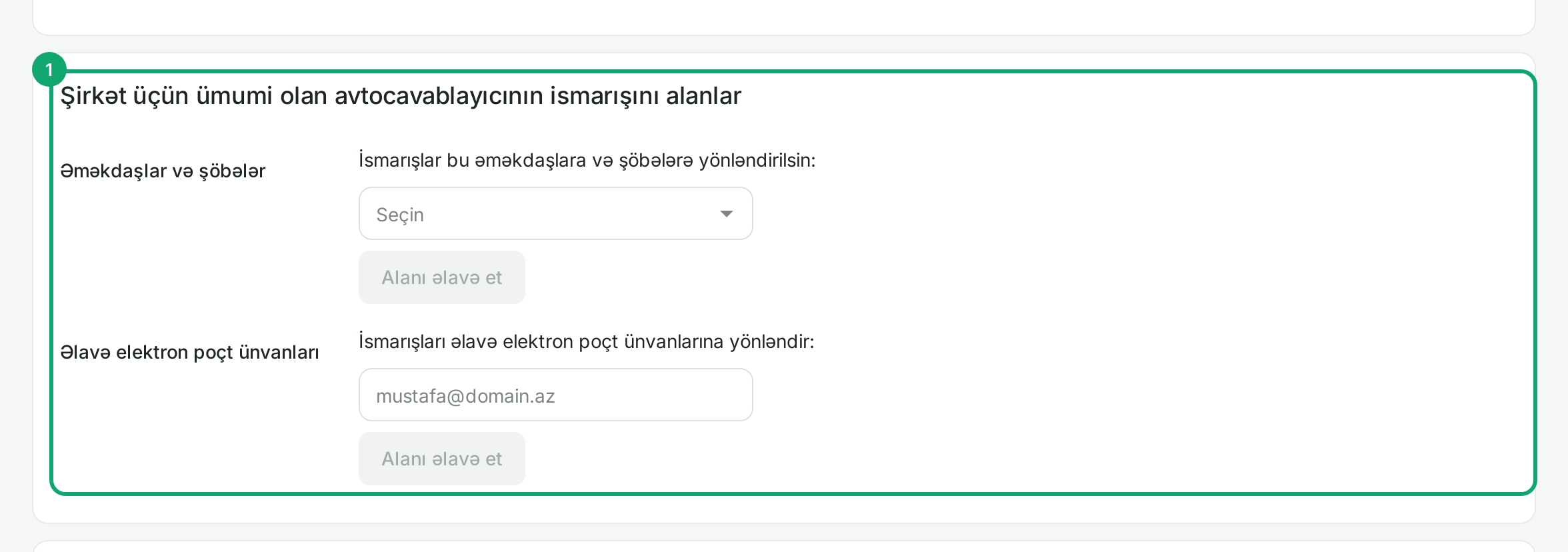
On “Ayarlar › Bütün ayarlar › Şirkətin avtocavablayıcısı” (Settings › All settings › Company voicemail), pick a recipient from “Əməkdaşlar və şöbələr” (Employees and departments) and click “Alanı əlavə et” (Add recipient). For an address that is not an employee, type it in “Əlavə elektron poçt ünvanları” (Additional email addresses). Check delivery with “Sınaq məktubu göndər” (Send test email), then click “Yaddaşda saxla” (Save).
-
2
Separate recipients for a department or number
In a department's settings, under “Avtocavablayıcının ismarışını alanlar” (Voicemail recipients), click “Alanları seç” (Choose recipients) and pick who gets only that department's messages. If nobody is chosen, messages go to the company-wide recipients. A number's settings have the same “Alanları seç” button on the “Avtocavablayıcı” target.
-
3
When a customer can leave a message
Voicemail is used in these places:
- in a department, under “Heç kim cavab vermirsə” (If nobody answers): “Avtocavablayıcıya ismarış buraxmağı və ya daha sonra yenidən zəng etməyi təklif et” (Offer to leave a voicemail or call back later);
- the number's after-hours target “Avtocavablayıcı”;
- a voice menu key with the “Avtocavablayıcı” target;
- the “Səsli poçt” (Voicemail) step in a call flow.
Choose the message the customer hears in that same place, with “Standart” (Standard) or “Kompüterdən olan fayl” (File from computer).