
Build a call flow in the Voice panel
Last updated: 27 October 2026 · 6 min read
A call flow is an alternative to the number's settings: you build the menu, working hours and targets step by step on one canvas. A flow is created as a draft and affects calls only after you click “Yayımla” (Publish).
Steps
-
1
Create a new flow
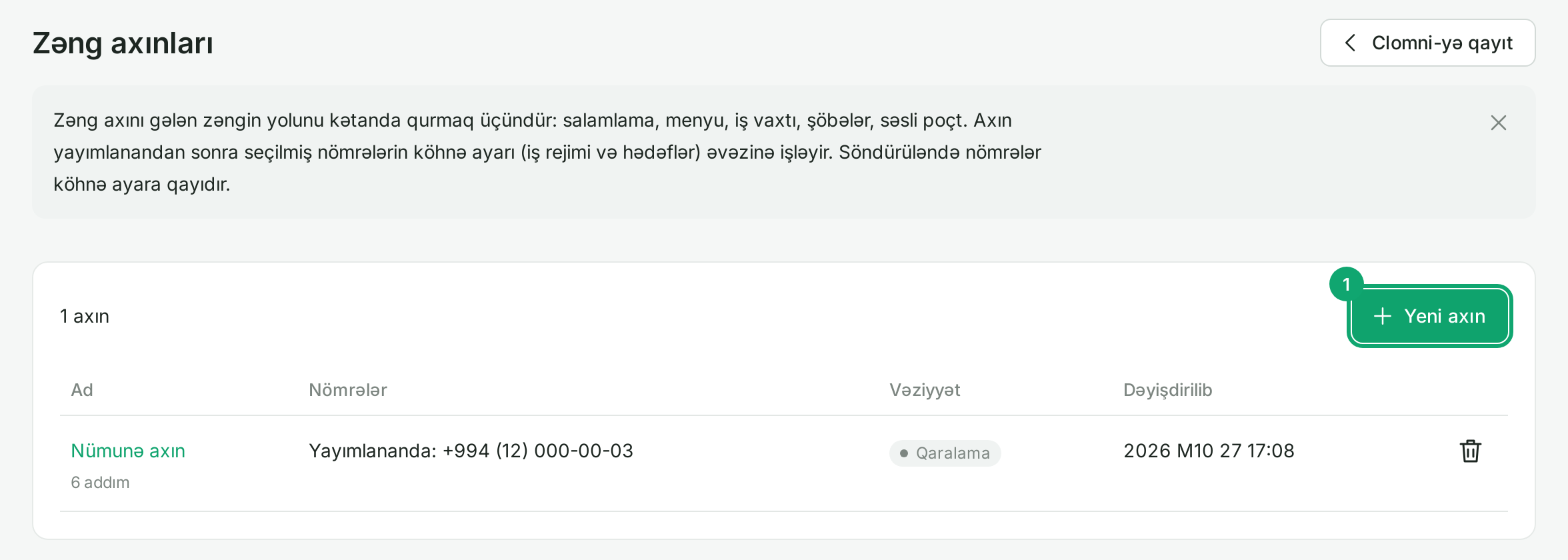
In the Voice settings, go to “Ayarlar › Zəng axınları” (Settings › Call flows) and click “Yeni axın” (New flow).
-
2
Choose how to start
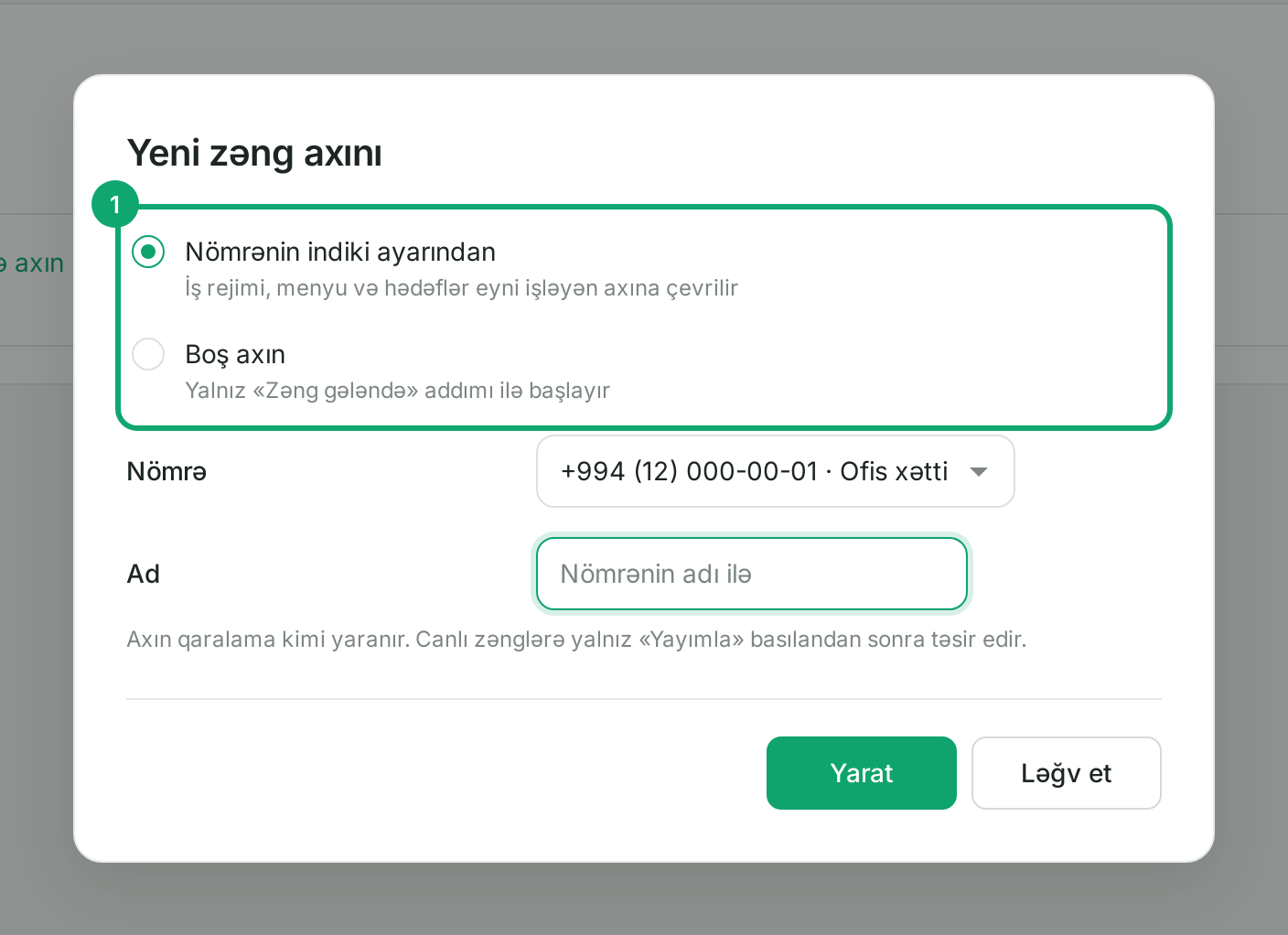
“Nömrənin indiki ayarından” (From the number's current settings) turns the number's working mode, menu and targets into a flow that behaves the same way. “Boş axın” (Empty flow) starts with only the “Zəng gələndə” (Incoming call) step. Choose the number and name, then click “Yarat” (Create). If some settings cannot be carried over (for example extra intervals), the editor lists them for you to check.
-
3
Add steps and connect them
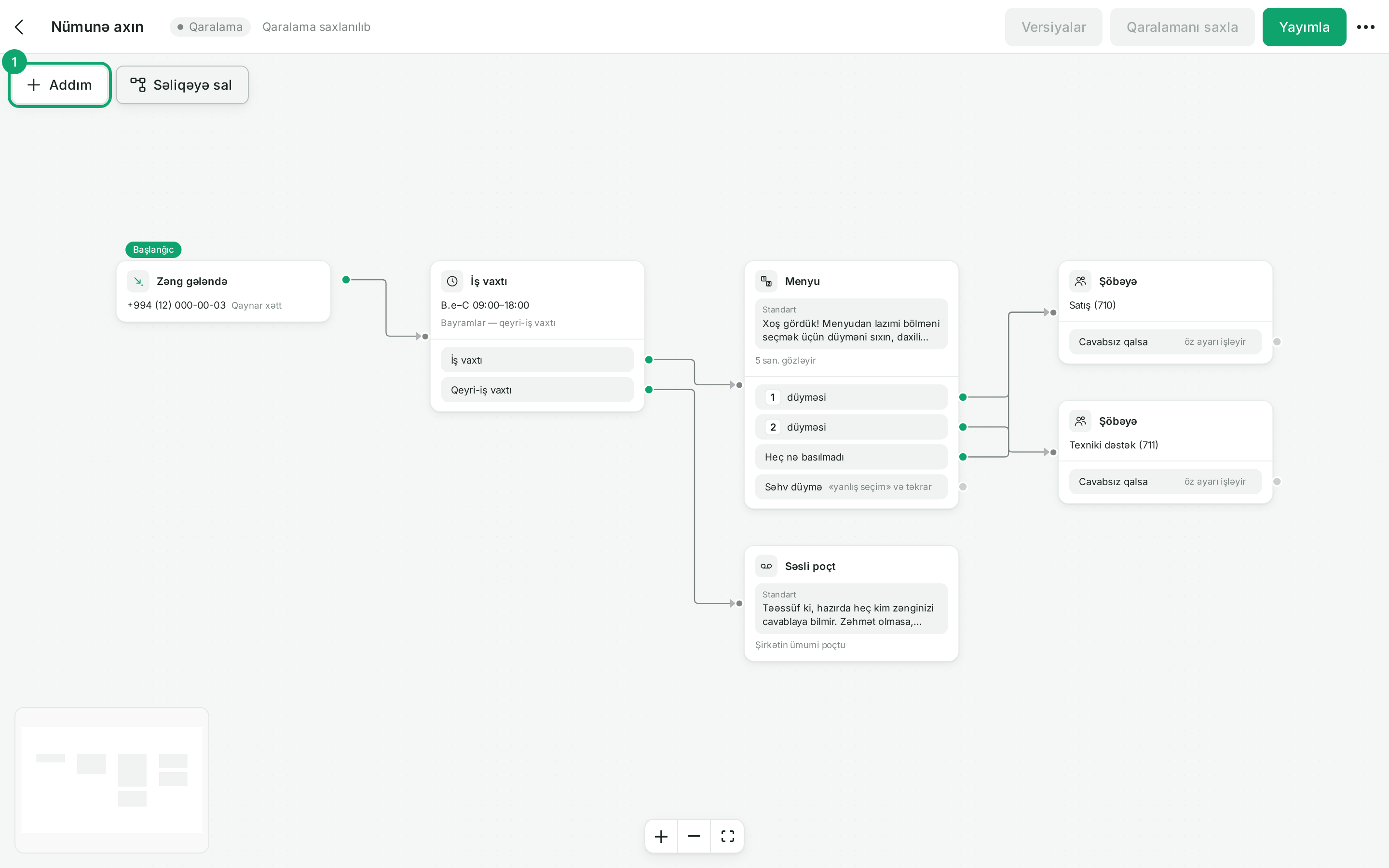
Add a step with the “Addım” (Step) button, or drag an arrow from a step's green dot to an empty spot. Clicking a step opens its settings on the right. The main steps:
- “Zəng gələndə” (Incoming call): which numbers the flow is for;
- “Səs oxut” (Play sound): a greeting or a message;
- “Menyu” (Menu) and “Daxili nömrə yığmaq” (Dial an extension): choice by key;
- “İş vaxtı” (Working hours): separate paths in and out of hours, holidays can count as after hours;
- “Şöbəyə” (To department), “Əməkdaşa” (To employee), “Xarici nömrəyə” (To external number): the call's target, with a “Cavabsız qalsa” (If unanswered) output;
- “Səsli poçt” (Voicemail), “Geri zəng sifarişi” (Callback request), “Zəngi bitir” (End call): the end of the flow.
“Səliqəyə sal” (Tidy up) arranges the steps neatly on the canvas.
-
4
Publish
The draft saves itself. When it is ready, click “Yayımla” (Publish): calls to the numbers in the “Zəng gələndə” step follow this flow at once. If an output is not connected or there is another error, publishing stops and the “Yoxlama” (Check) list shows what to fix. With “Versiyalar” (Versions) you can load a previous version into the draft and publish it again.

-
5
Turn off or delete a flow
In the “…” menu at the top right, choose “Axını söndür” (Turn off flow): the numbers go back to their previous settings, which were never deleted. “Axını sil” (Delete flow) removes the flow completely, and “Surətini çıxar” (Duplicate) makes a copy.
-
6
Clomni agents
Clomni adds an inbox's agents only to the inbox's own department. If the flow sends calls to another department, choose that department's members yourself under “Ayarlar › Şöbələr” (Settings › Departments).