
Audio files and melodies
Last updated: 27 October 2026 · 4 min read
Standard sounds are ready for greetings, menu messages and melodies. To use your own recording, upload the file in the Voice panel.
Steps
-
1
Upload a file
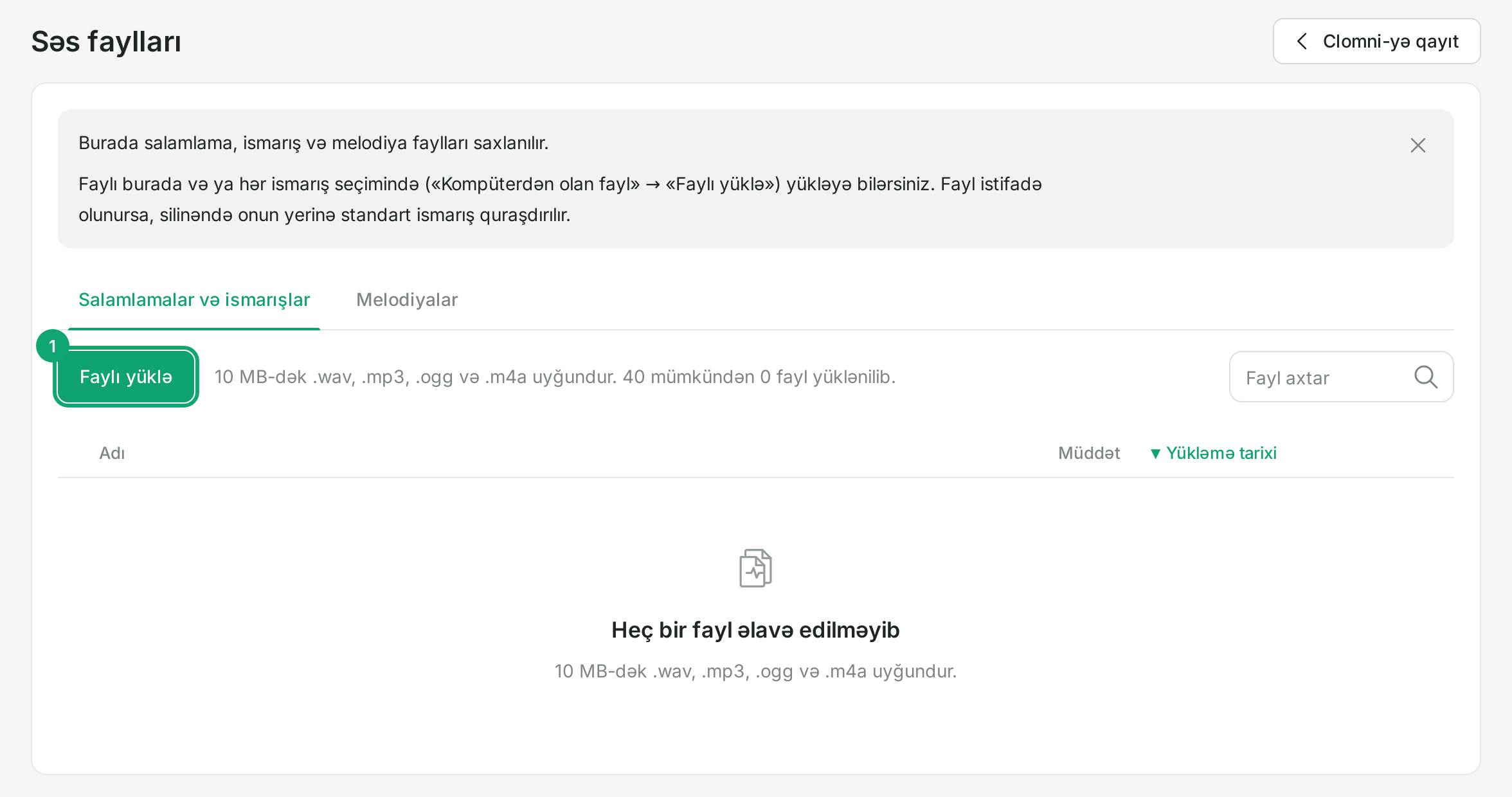
On “Ayarlar › Bütün ayarlar › Səs faylları” (Settings › All settings › Audio files), click “Faylı yüklə” (Upload file). Files up to 10 MB in .wav, .mp3, .ogg and .m4a work, up to 40 files. On the “Salamlamalar və ismarışlar” (Greetings and messages) and “Melodiyalar” (Melodies) tabs you can play, rename, download and delete a file. If you delete a file that is in use, the standard message plays in its place.
-
2
Use a file as a message
Wherever a greeting, menu or voicemail message is chosen, there is a “Kompüterdən olan fayl” (File from computer) tab. There, pick an uploaded file with “Yüklənmişlərdən seç” (Choose from uploaded) or add a new one with “Faylı yüklə”.
-
3
Choose the melodies
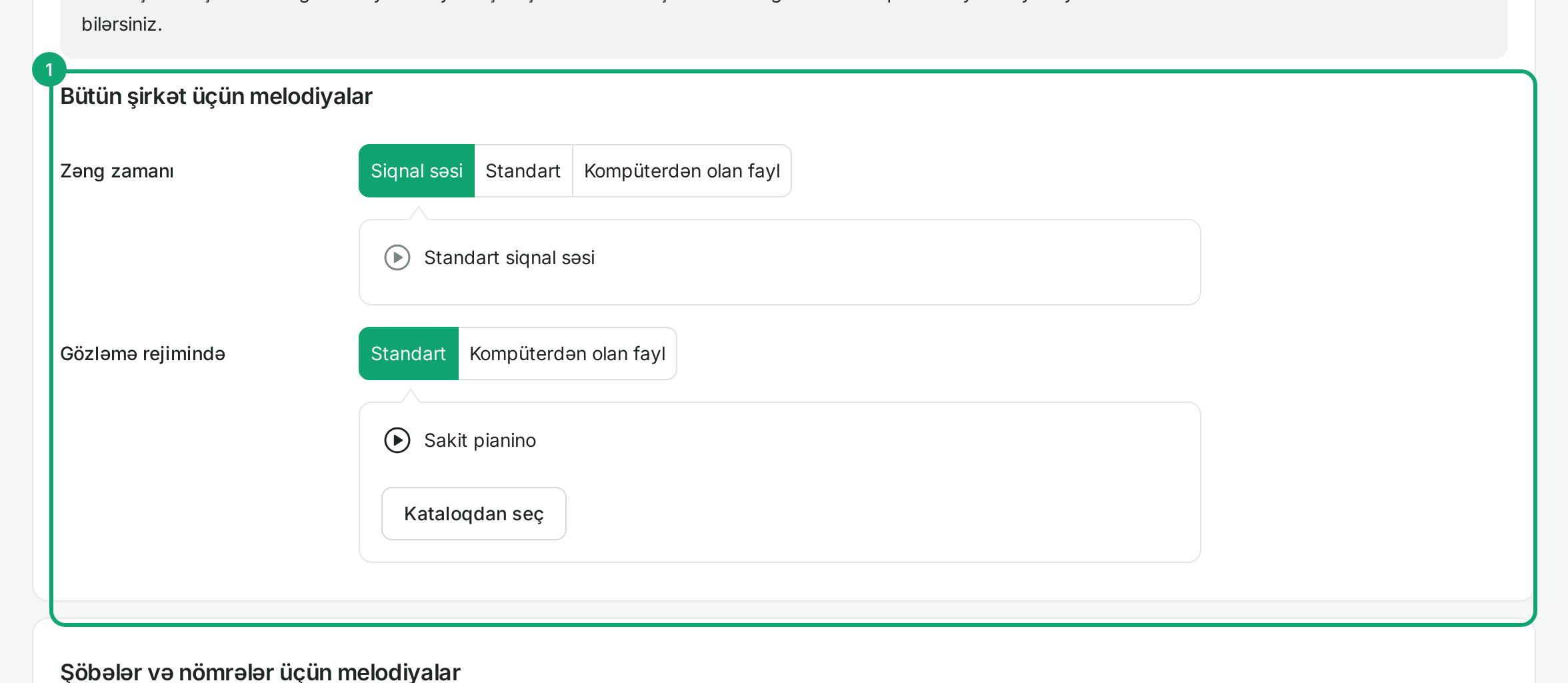
On “Ayarlar › Bütün ayarlar › Melodiyalar” (Melodies) there are two melodies: “Zəng zamanı” (While ringing) plays while the customer waits for an answer, “Gözləmə rejimində” (On hold) plays when the call is on hold. Choose “Siqnal səsi” (Ring tone), “Standart” (Standard, from the catalogue) or “Kompüterdən olan fayl”.
-
4
A separate melody for a number or department
On the same page, under “Şöbələr və nömrələr üçün melodiyalar” (Melodies for departments and numbers), click “Melodiya əlavə et” (Add melody) and choose the number or department. In the number's own settings, the “Bu nömrə üçün ayrıca melodiya” (Separate melody for this number) box does the same. Then click “Yaddaşda saxla” (Save).