
Blacklist: block a number
Last updated: 27 October 2026 · 4 min read
Calls from a number on the blacklist are not accepted: Voice ends the call, and the caller hears that the subscriber is unavailable right now. The blacklist is set up in the Voice panel.
Steps
-
1
Open the blacklist
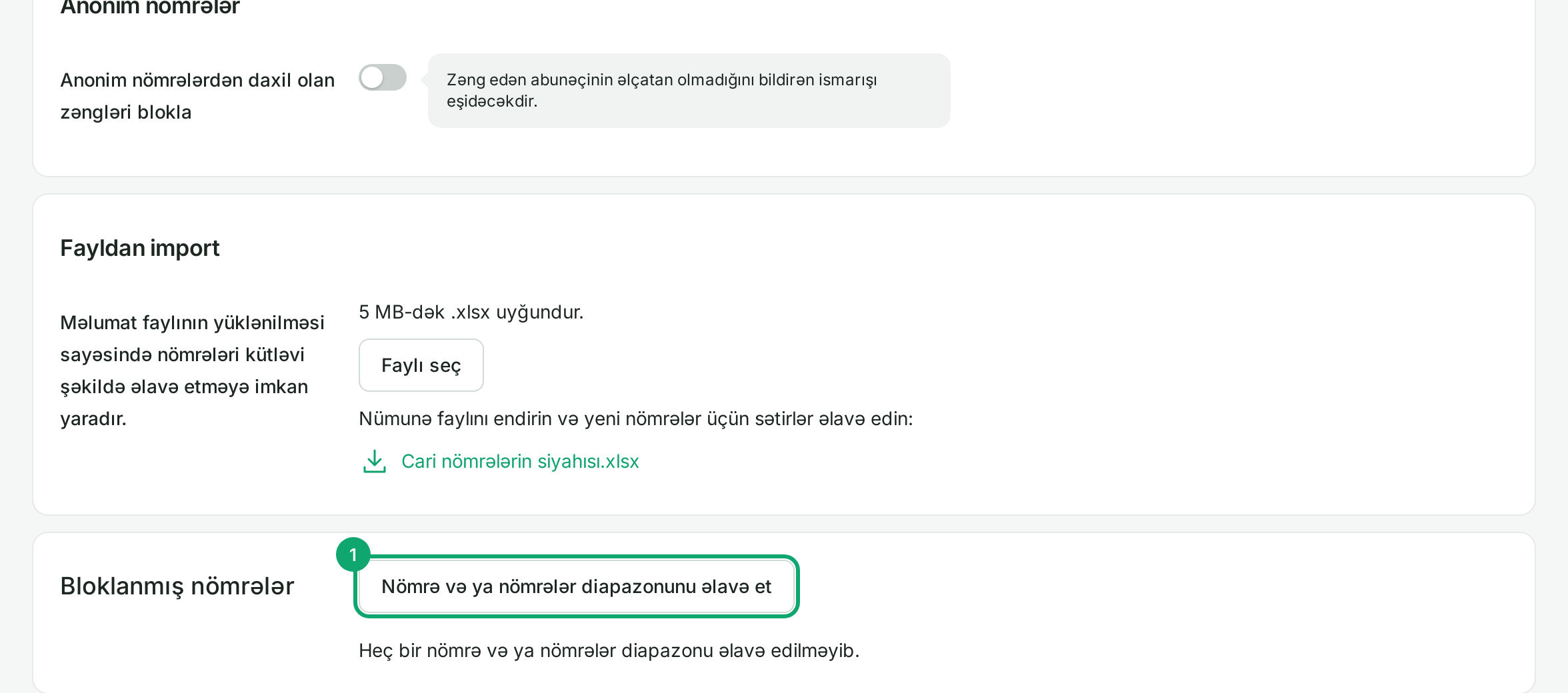
Go to “Ayarlar › Bütün ayarlar › Qara siyahı” (Settings › All settings › Blacklist). Under “Bloklanmış nömrələr” (Blocked numbers), click “Nömrə və ya nömrələr diapazonunu əlavə et” (Add a number or number range).
-
2
Enter the number
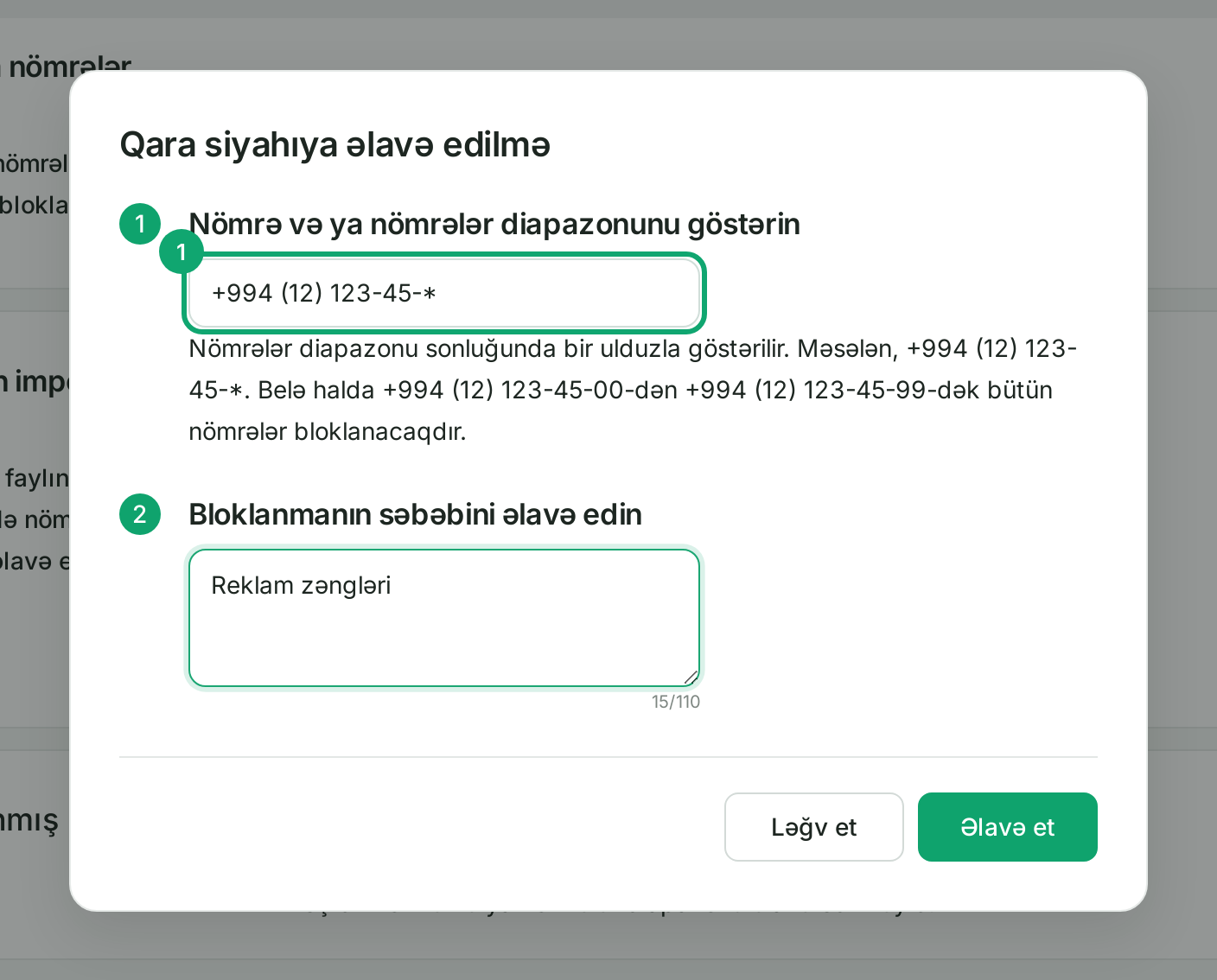
Enter the number, add a comment if you like, and click “Əlavə et” (Add). To block a whole range, end it with an asterisk: +994 (12) 123-45-* blocks every number from 00 to 99. Then click “Yaddaşda saxla” (Save) on the page.
-
3
Hidden numbers
Turn on “Anonim nömrələrdən daxil olan zəngləri blokla” (Block calls from anonymous numbers) to also refuse callers who hide their number.
-
4
Add many numbers from a file
Under “Fayldan import” (Import from file), download “Cari nömrələrin siyahısı.xlsx” (Current numbers list), add the new numbers as rows and upload it with “Faylı seç” (Choose file). An .xlsx up to 5 MB works. Before importing, the panel shows what will change; “Yüklə” (Upload) applies it.