
Departments: who is rung, and in what order
Last updated: 27 October 2026 · 5 min read
In Voice, a call goes to a department, and the department rings its employees. Every call inbox has its own department in Voice, and Clomni adds the inbox's agents to it by itself. Extra departments for a voice menu are created by you in the Voice panel.
Steps
-
1
Open the department
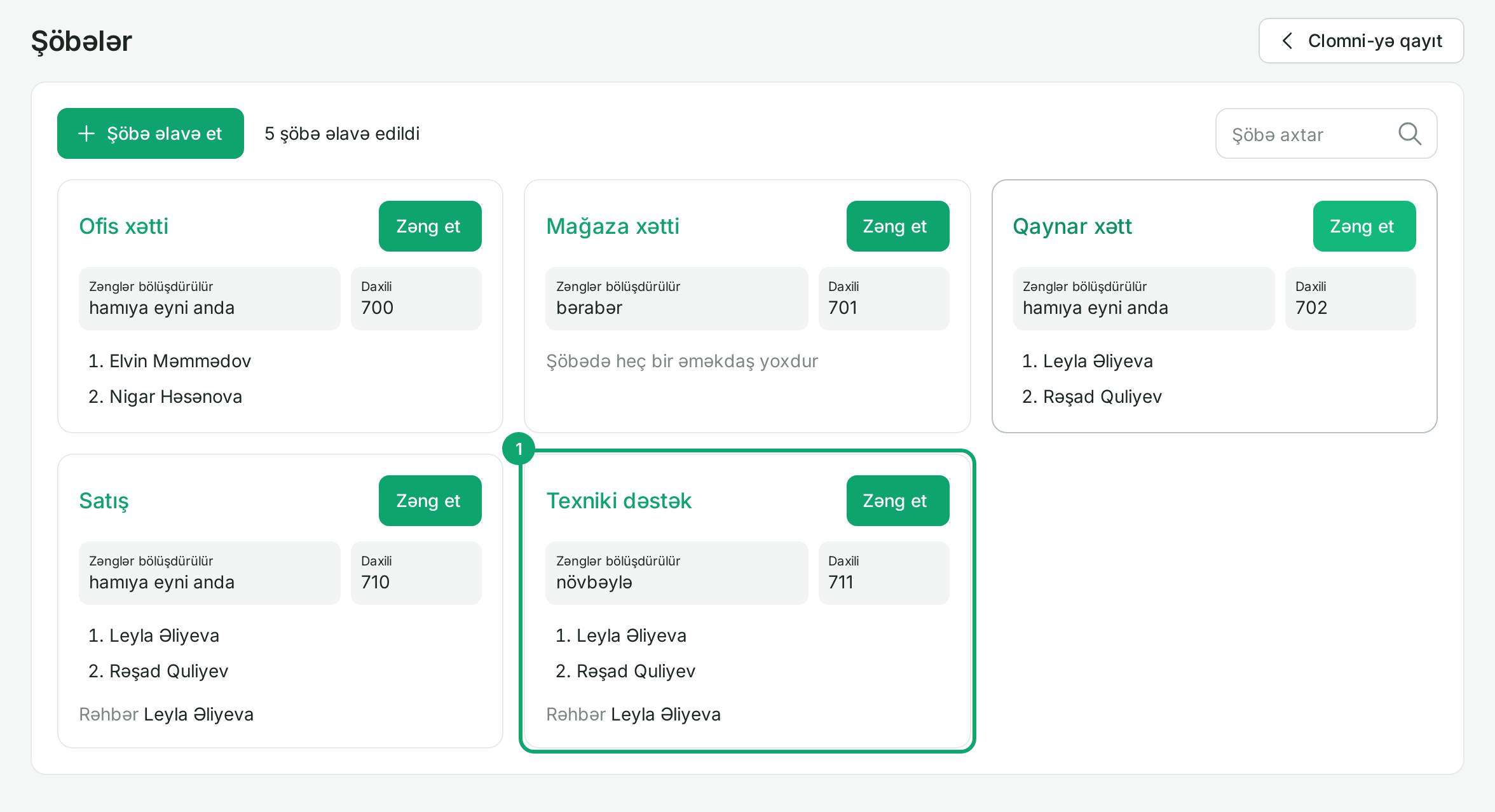
Under “Ayarlar › Şöbələr” (Settings › Departments), each department is a card showing its ring rule, extension and members in order. Click a card to change the department. For a new one, click “Şöbə əlavə et” (Add department) and enter a name and an extension.
-
2
Choose the ring rule
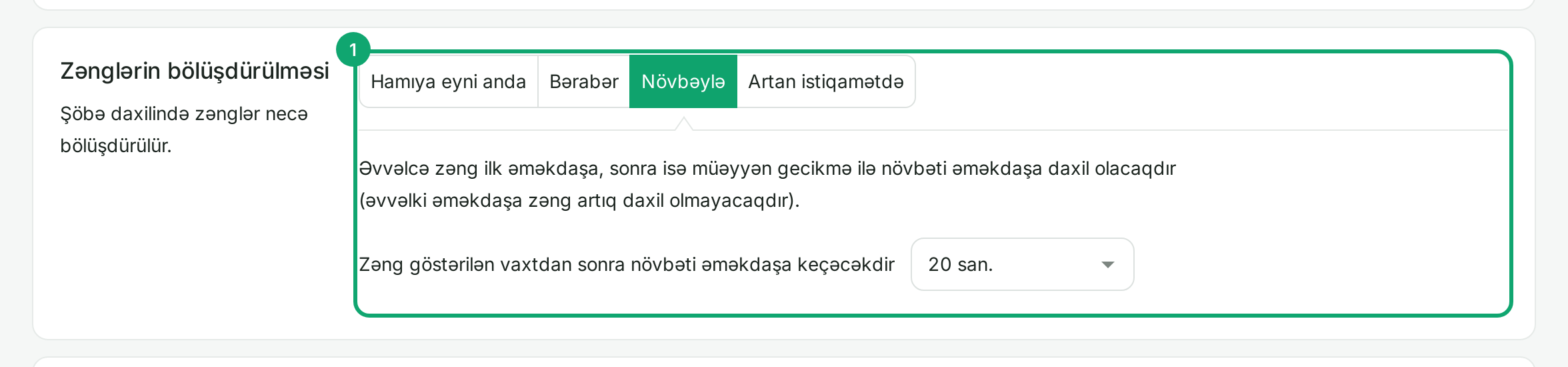
“Zənglərin bölüşdürülməsi” (Call distribution) has four rules:
- “Hamıya eyni anda” (All at once): the call rings every member together, up to 50 people;
- “Bərabər” (Evenly): the call starts with the employee who has been off the phone the longest;
- “Növbəylə” (One by one): the call moves down the list one at a time and stops ringing the previous employee;
- “Artan istiqamətdə” (Adding up): like “Növbəylə”, but keeps ringing the earlier employees too.
For the last three, choose how long before the next employee is added. In Clomni, the inbox's “Call distribution” section uses other names: “All at once” is “Hamıya eyni anda”, “In turn” is “Bərabər”, “In order” is “Növbəylə” and “Adding up” is “Artan istiqamətdə”.
-
3
Change the members and their order
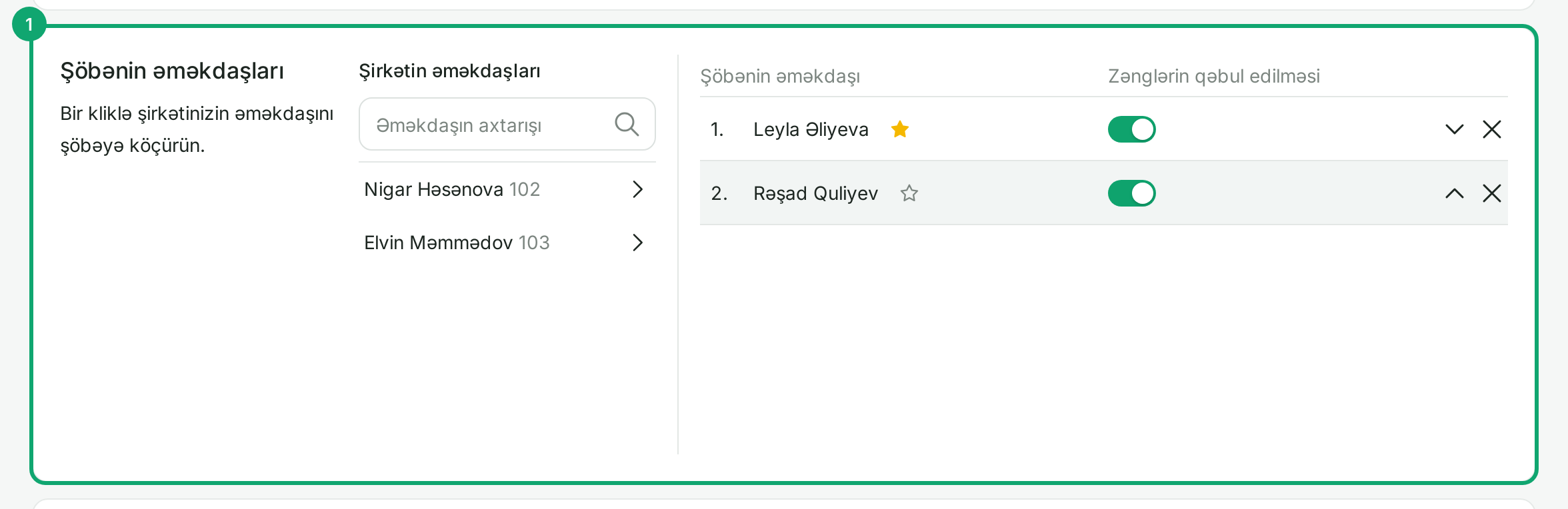
In “Şöbənin əməkdaşları” (Department members), click an employee in the list on the left to add them. On the right, change the order with the arrows, use the switch to choose whether the employee takes this department's calls, and remove them with ✕. The star makes an employee the department head, who can join members' calls to listen and whisper.
-
4
If nobody answers
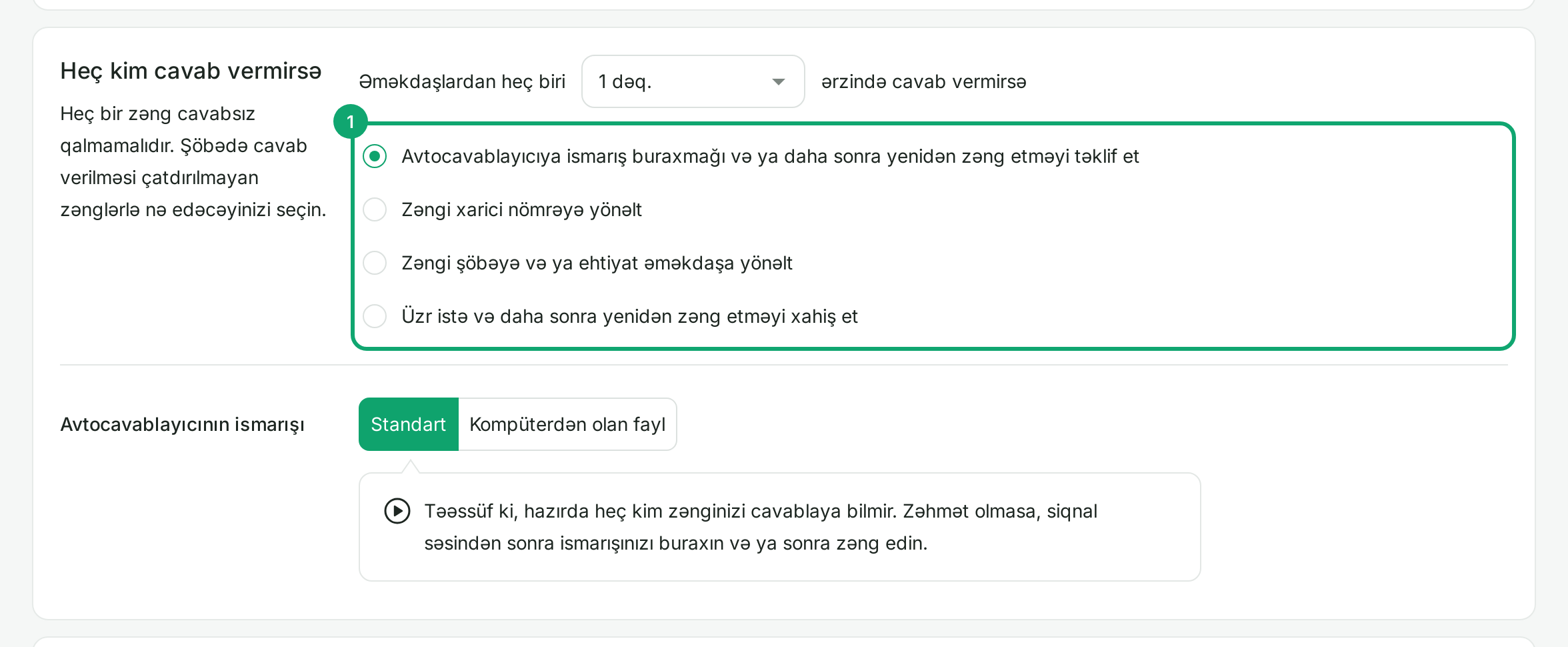
In “Heç kim cavab vermirsə” (If nobody answers), choose how long to wait and what happens next: a voice message (voicemail), an external number, another department or a backup employee, or an apology and hang-up. In “Səbirsiz müştərilər üçün” (For impatient customers), you can tell a waiting customer their place in the queue and offer a callback. Then click “Yaddaşda saxla” (Save).
-
5
The department of a Clomni inbox
An inbox's department carries the inbox's name. Clomni keeps the inbox's agents in it: an agent added in the inbox's “Collaborators” tab joins the department, and one removed leaves it. You can change the order, the switches and the head in Voice. Do not add other employees to this department in Voice: Clomni removes them when the inbox's agents change. If an agent's calls should also ring a desk phone, connect the phone to the agent's own extension.
For a new inbox, change the ring rule in Clomni, in the inbox's “Call distribution” section. If the inbox has no such section, it was linked to a line that already ran in Voice. In that line's departments Clomni adds its agents at the end of the list, desk phones and members set up in Voice stay where they are, and the ring rule is changed in the Voice panel.