
Connect a desk phone (Cisco, IP phone)
Last updated: 27 October 2026 · 5 min read
A desk phone (Cisco or another IP phone) connects to the agent's own extension; no separate employee is needed. Once connected, a call to the agent rings both in Clomni and on the desk phone, and the conversation stays wherever it is picked up. An administrator gives the phone its SIP password in the Voice panel.
Steps
-
1
Open the agent's card
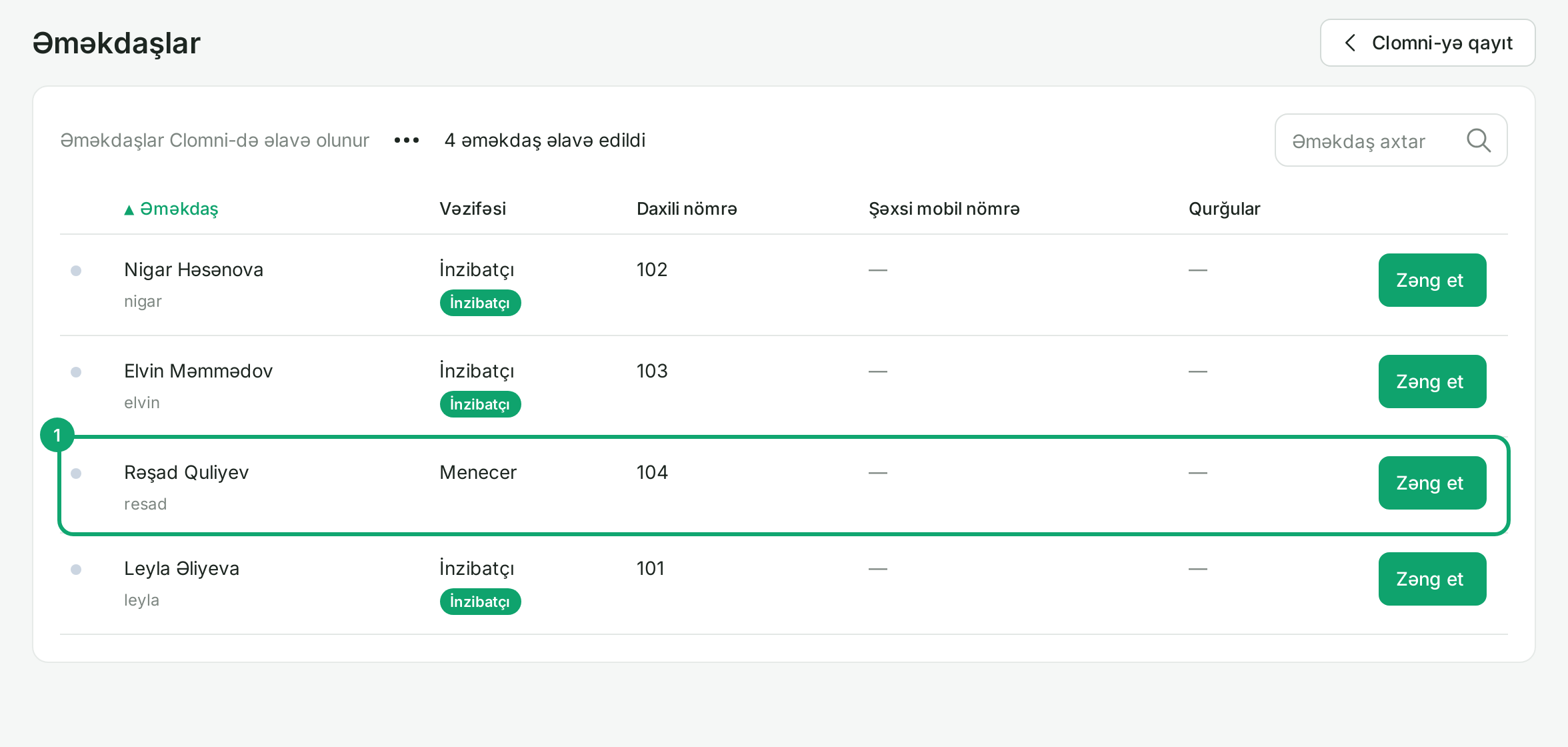
In the Voice settings, go to “Ayarlar › Əməkdaşlar” (Settings › Employees) and click the agent's row. The list shows each agent's extension, the same one as in Clomni. Agents are added by Clomni; employees cannot be created in Voice.
-
2
Get the SIP password
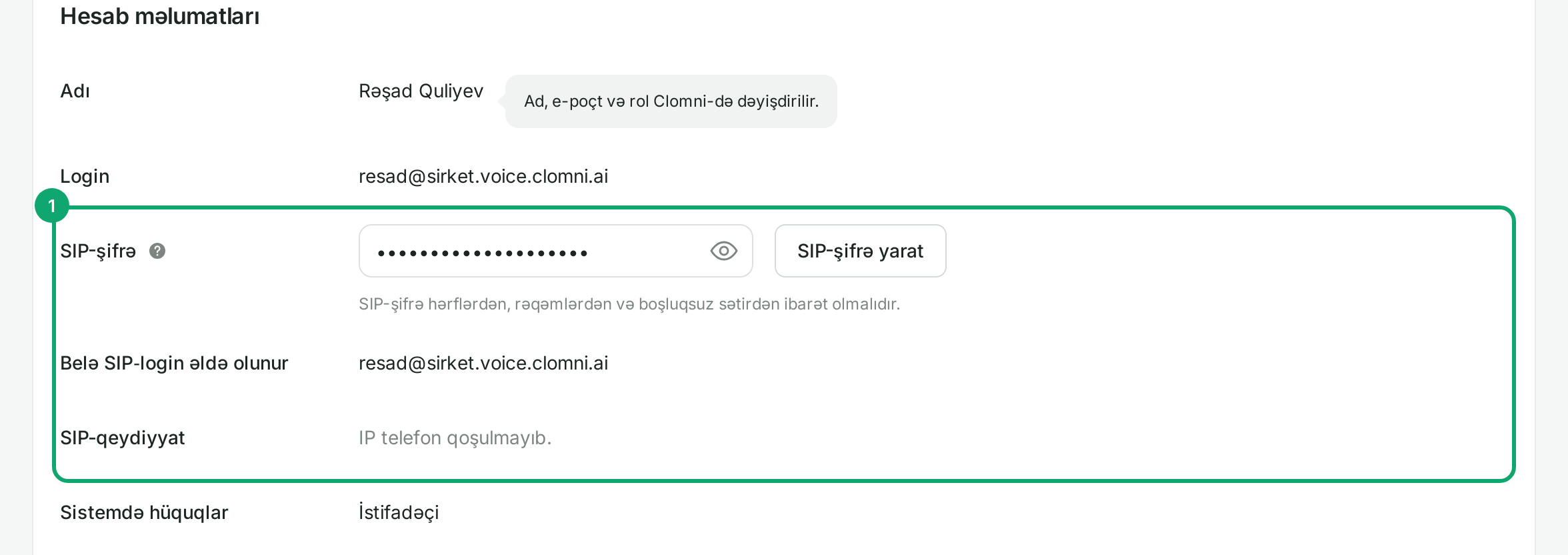
In the “SIP-şifrə” (SIP password) field, click the eye icon to show the password. If you need a new one, click “SIP-şifrə yarat” (Generate SIP password), then “Yaddaşda saxla” (Save). The “Belə SIP-login əldə olunur” (Resulting SIP login) row shows the phone's login; the part before @ is the phone's User ID. If you change the SIP password, a phone using the old one disconnects, so set it up again with the new password.
-
3
Enter the settings on the phone
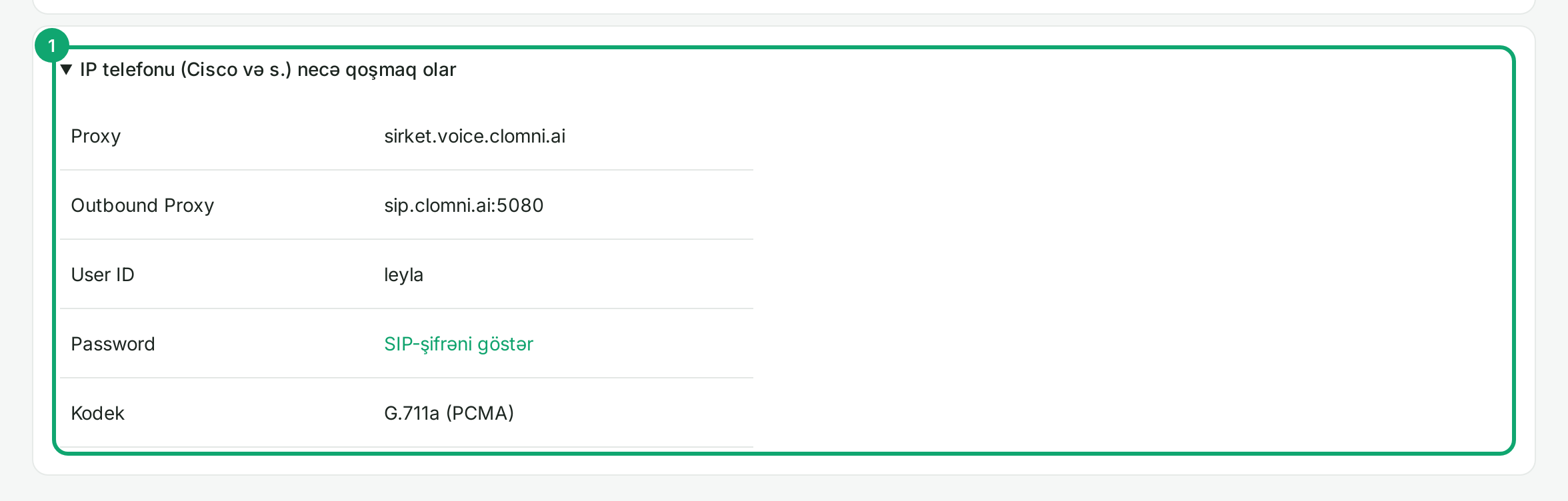
The server details are on your “Profil” (Profile) page: click your name at the bottom left of the panel and open “IP telefonu (Cisco və s.) necə qoşmaq olar” (How to connect an IP phone). In the phone's web panel (on Cisco: Voice › Ext 1) enter:
- Proxy: your company domain, for example sirket.voice.clomni.ai;
- Use Outbound Proxy: yes, Outbound Proxy: sip.clomni.ai:5080;
- User ID: the agent's login, up to the @ sign;
- Password: the agent's SIP password;
- codec: G.711a.
Then click “Submit All Changes”; the phone restarts.
-
4
Check it
On the agent's card, the “SIP-qeydiyyat” (SIP registration) row should say “IP telefon qoşulub” (IP phone connected) with the phone's name. The phone also appears in the “Qurğular” (Devices) column of the employees list. Then call the agent's extension from another phone.
-
5
If the phone does not connect
Check the Proxy, User ID and password again. If the registration works for a minute or two and then drops, the office network is blocking VoIP: ask your network administrator to open UDP 5080 and ports 10000-20000.