
When the AI agent hands a conversation to an operator
Last updated: 27 September 2026 · 5 min read
The AI agent replies to conversations with “Pending” status in the channels it's connected to. When it hands a conversation to an operator, the status becomes “Open” and the conversation goes to your team's queue. After that the AI doesn't write in that conversation.
Steps
-
1
When it hands over
- the customer wants to talk to a live operator;
- it can't find the answer in the FAQs and documents;
- the question is something it can't do, or several attempts don't help;
- the assistant's working hours are set and the conversation came in outside them;
- your plan's “Clomni AI responses” limit is reached.
-
2
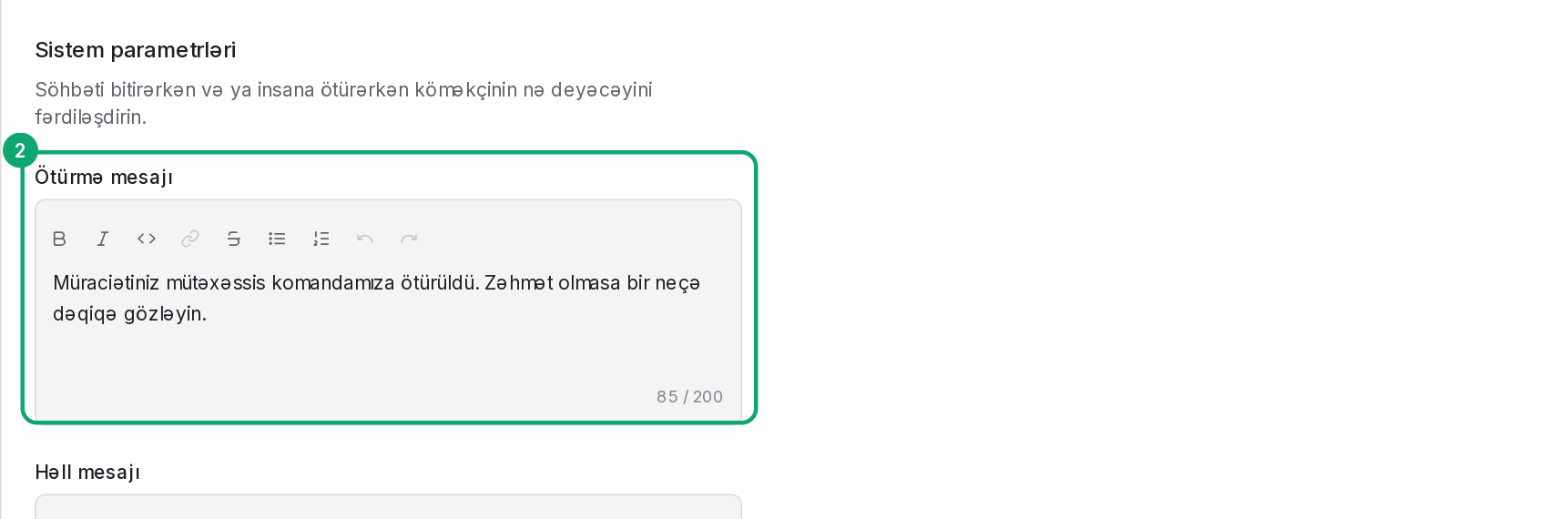
Write the handoff message
In Clomni AI › Settings, write the text the customer will see in the “Handoff Message” field, for example: “I'm passing you to an operator.”
-
3
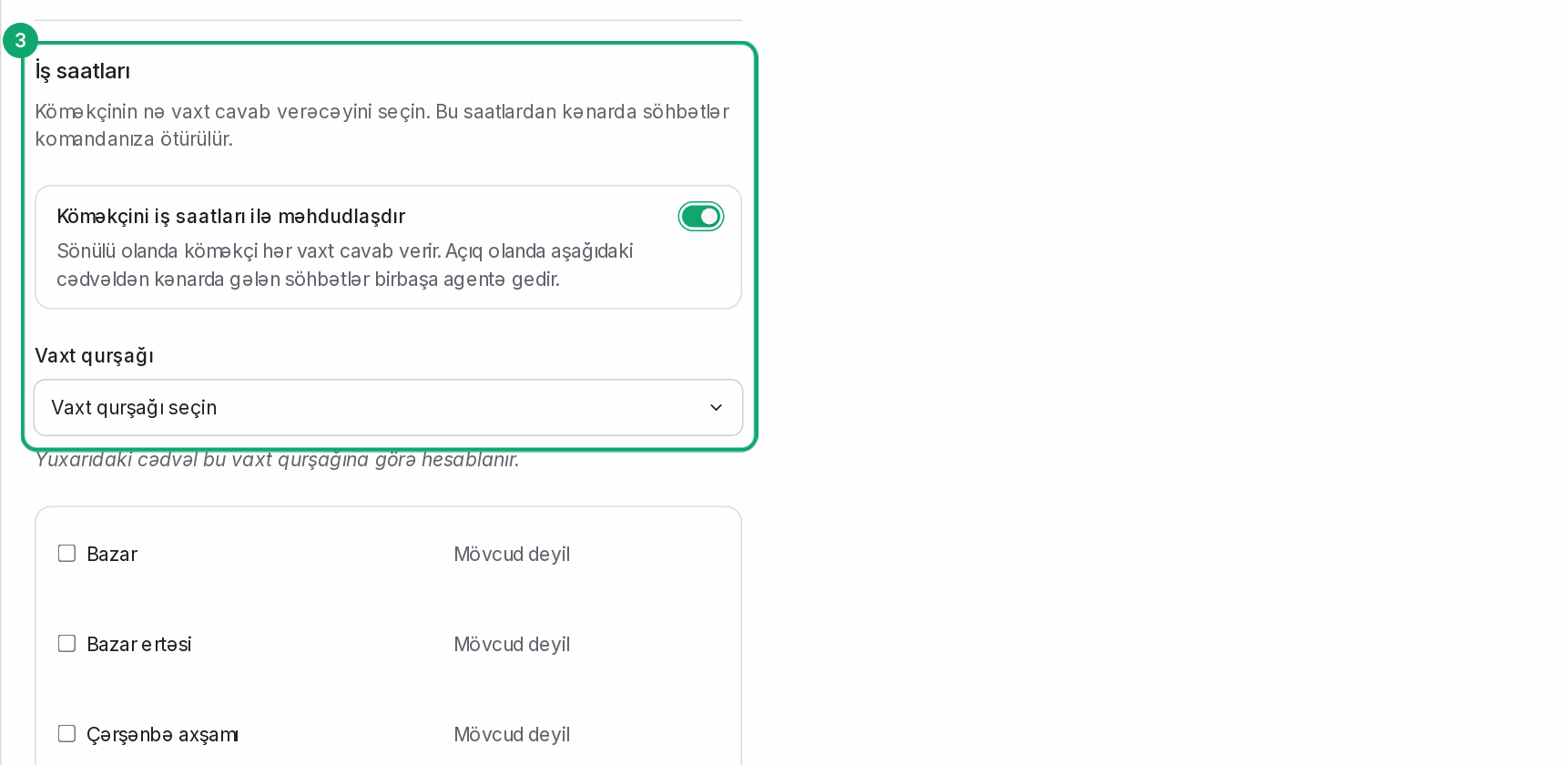
Set working hours
On the same page, in the “Working hours” part, turn on “Limit the assistant to working hours” and choose the days, hours and time zone. A conversation that comes in outside these hours goes straight to an agent. If the “Out of hours message” is empty, the handoff message is sent.
-
4
Take over the conversation yourself
When you open a conversation the AI is handling, the reply box shows “You are responding to a conversation which is currently handled by an assistant or a bot.” Take it over with “Mark open and assign to you”.
-
5
Who gets a handed-over conversation
If auto-assignment is on for the channel, the conversation is assigned to one of the online agents. If it's off, the conversation waits in the “Unassigned” list.