Read campaign results
Last updated: 27 September 2026 · 5 min read
Every comment campaign has its own results page. Only an administrator sees the results.
Steps
-
1
Open the results
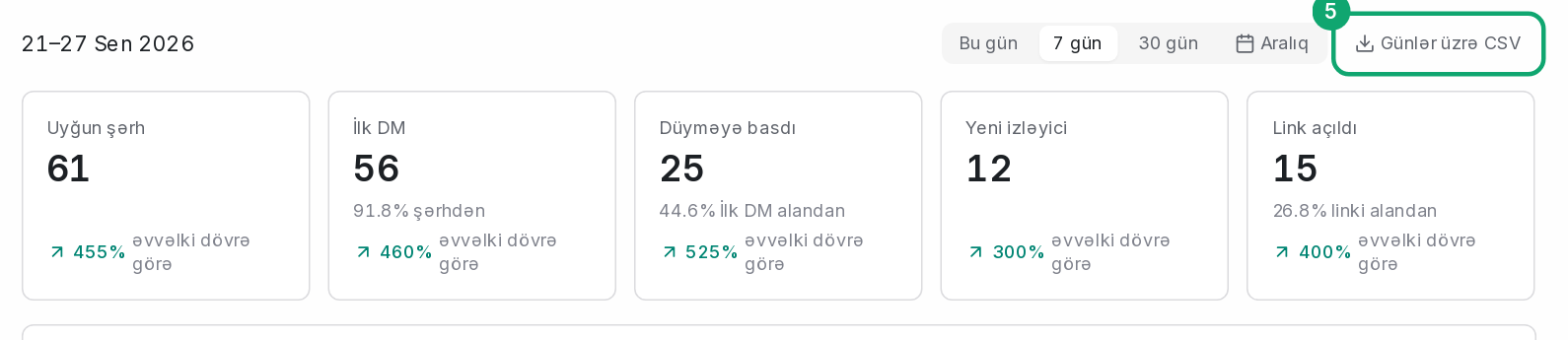
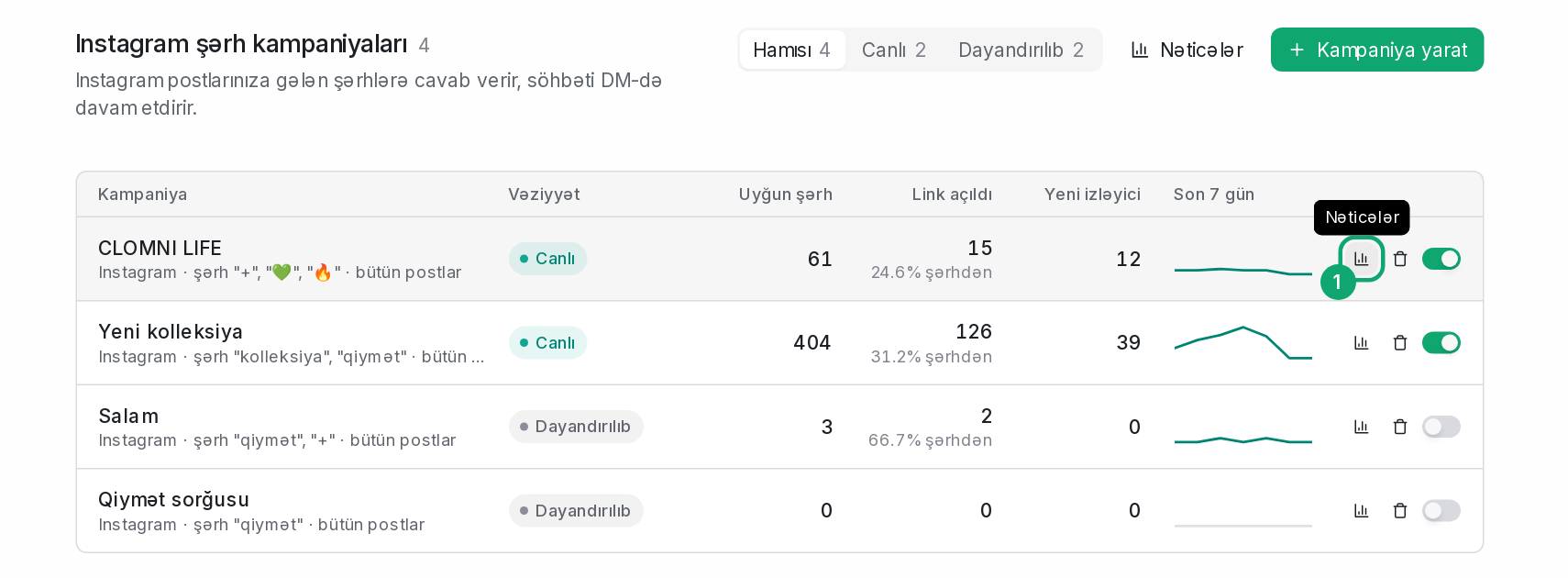
In the Campaigns › Instagram list, choose the campaign's “Results” action. Choose the period at the top: “Today”, “7 days”, “30 days” or “Range”.
-
2
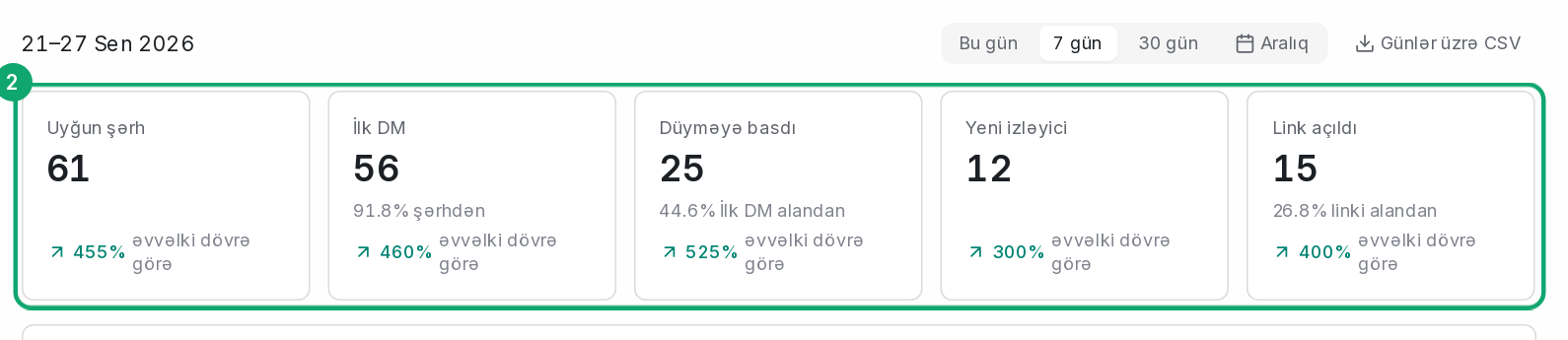
Main numbers
- Matched comments: comments that match a keyword.
- First DM: the first private message sent to the people who commented.
- Tapped a button: people who tapped the button in the DM.
- Link opened: people who opened the link.
- New followers: people who started following you during the campaign.
Each number is shown with a comparison to the previous period.
-
3
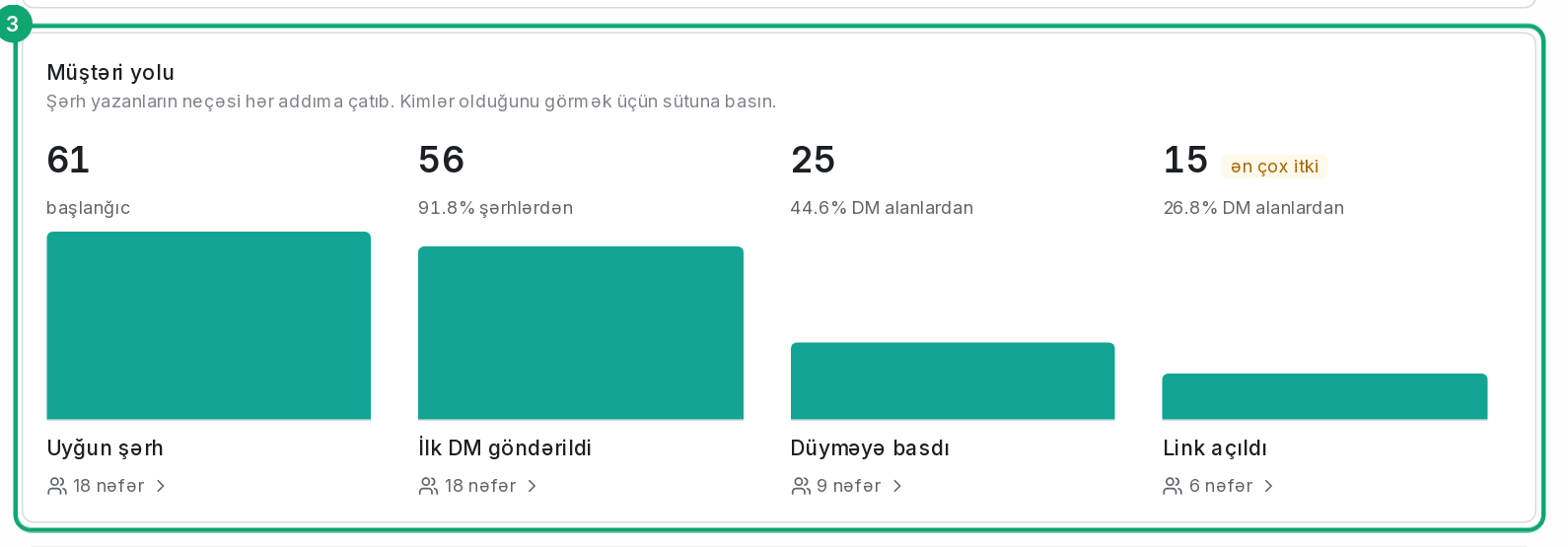
Customer path
The “Customer path” shows how many of the people who commented reached each step, and marks the step with the biggest drop. Clicking a column opens the list of people at that step. Meta doesn't send names for some steps, and then there's no list.
-
4
Posts and trends
The “Posts” table shows the matched comments and first DMs for each post. “Over time” shows activity by day and by hour.

-
5
Download CSV
The “Days as CSV” and “Posts as CSV” buttons export the numbers to a file that opens in Excel.