
The campaign shows 0 clicks
Last updated: 27 September 2026 · 4 min read
Every link a campaign sends goes through a Clomni short address. When a customer opens the link, the “Link opened” count goes up.
Steps
-
1
Check that the link is complete
Only links that start with http:// or https:// are counted. An address written as “www.sayt.az” or “sayt.az” is not counted. Write the full link, for example https://sayt.az, and publish the campaign again.
-
2
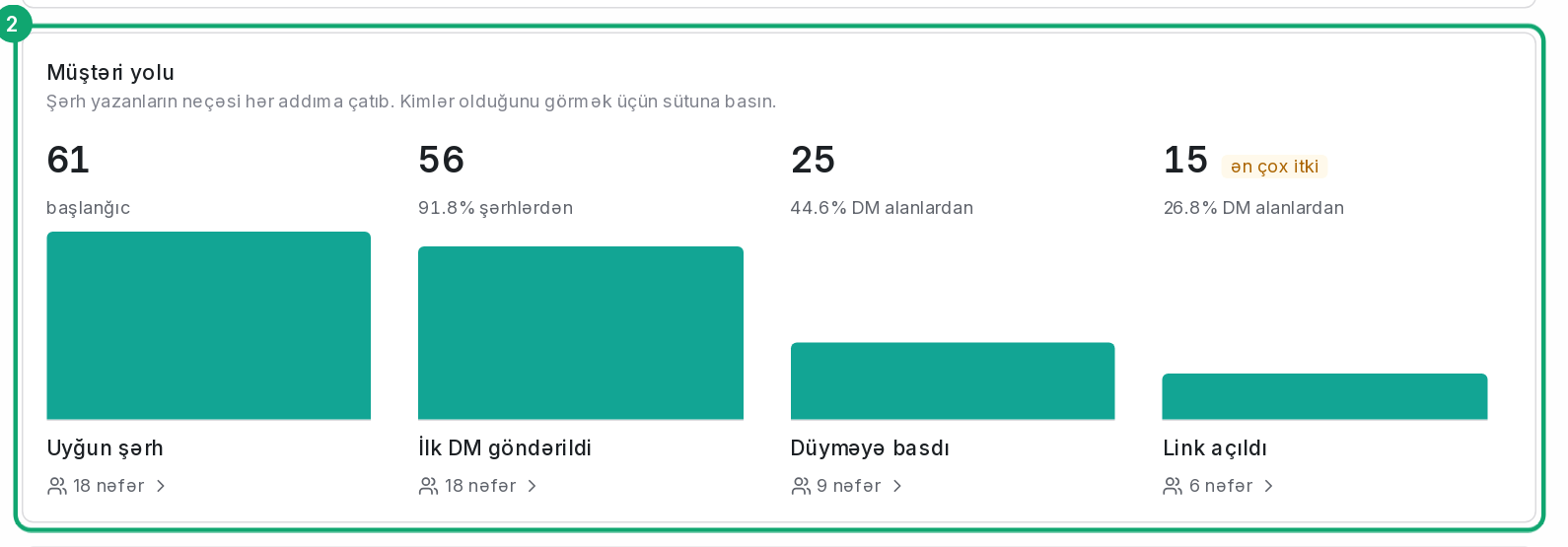
Look at the customer path
In the results, the “Customer path” shows how many people reached each step. If “Link sent” is 0, customers haven't reached the step with the link yet: check the steps before it, for example the buttons.
-
3
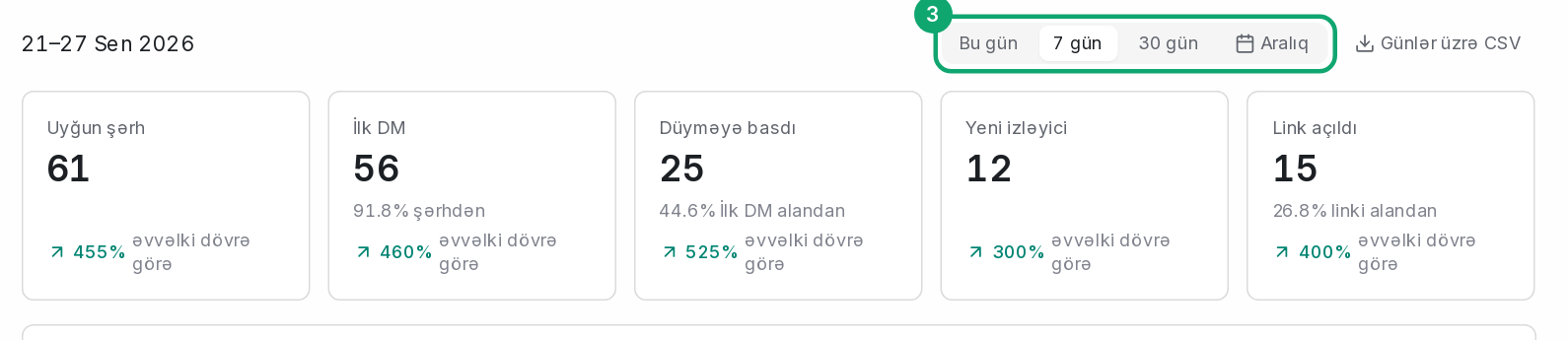
Check the period
On the results page, the selected period (“Today”, “7 days”, “30 days” or “Range”) must include the days the links were opened.
-
4
Robots are not counted
Instagram, WhatsApp and Telegram open a link themselves to build its preview. These opens are not counted as clicks. That's why “Link opened” can be much lower than “Link sent”.