
Agent and channel limits
Last updated: 27 September 2026 · 4 min read
Every plan has limits. When a limit is reached, only that one thing stops, and everything else keeps working.
Steps
-
1
See your limits
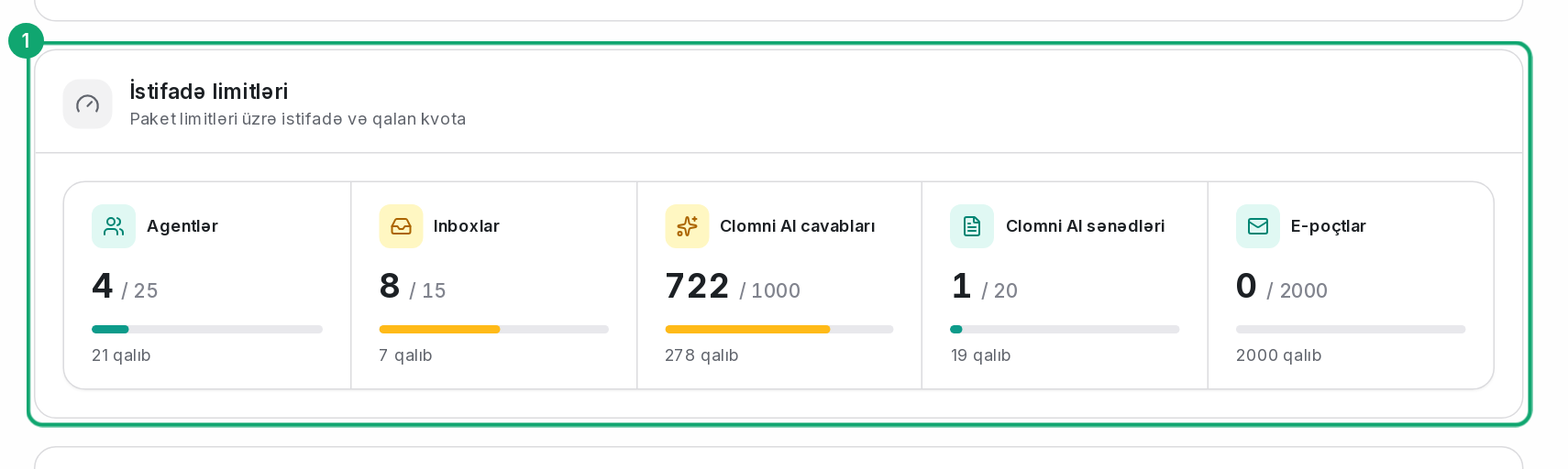
In the left menu, open the “Subscription & billing” › “Overview” page. The “Usage limits” part shows how much of each limit is used and how much is left. In the Settings menu, “Your current plan” shows how many AI replies are used.
-
2
What is counted
- Agents: the users in the account, administrators included.
- Inboxes: the number of channels (inboxes).
- Clomni AI responses: the replies the AI Agent gives to customers.
- Clomni AI documents: the documents uploaded to the AI Agent.
- Emails: the notification and transcript emails Clomni sends in one day.
-
3
When a limit is reached
- When the agent limit is reached, you cannot add a new agent.
- When the channel limit is reached, you cannot create a new inbox.
- When the AI reply limit is reached, the AI Agent hands new incoming conversations to agents.
-
4
Raise a limit
Move to a larger plan: “Subscription & billing” › “Overview” › “Change plan”.