
Where to find an invoice
Last updated: 27 September 2026 · 5 min read
Invoices are in the “Subscription & billing” section of the dashboard. Only administrators see this section.
Steps
-
1
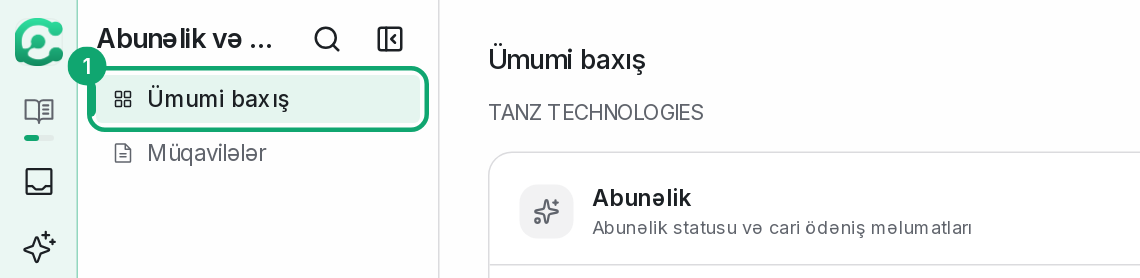
Open Subscription & billing
In the left menu, open the “Subscription & billing” › “Overview” page.
-
2
Find your invoices
The “Invoices” table at the bottom of the page shows each invoice's number, period, amount, status, issue date and due date.

-
3
Open or download an invoice
“View PDF” opens the invoice, and “Download” saves it to your computer.
-
4
Unpaid amount
If a payment is due, the open invoice appears at the top of the page and a “Pay now” button appears in the “Subscription” part.
-
5
Contract
Your subscription contract is on the “Subscription & billing” › “Contracts” page. If it says “This workspace is not linked to a billing company”, write to the Clomni team.