
Export contacts to Excel
Last updated: 27 September 2026 · 4 min read
Your contact list is exported as a CSV file that opens in Excel. Only an administrator can export contacts.
Steps
-
1
Open the Contacts page
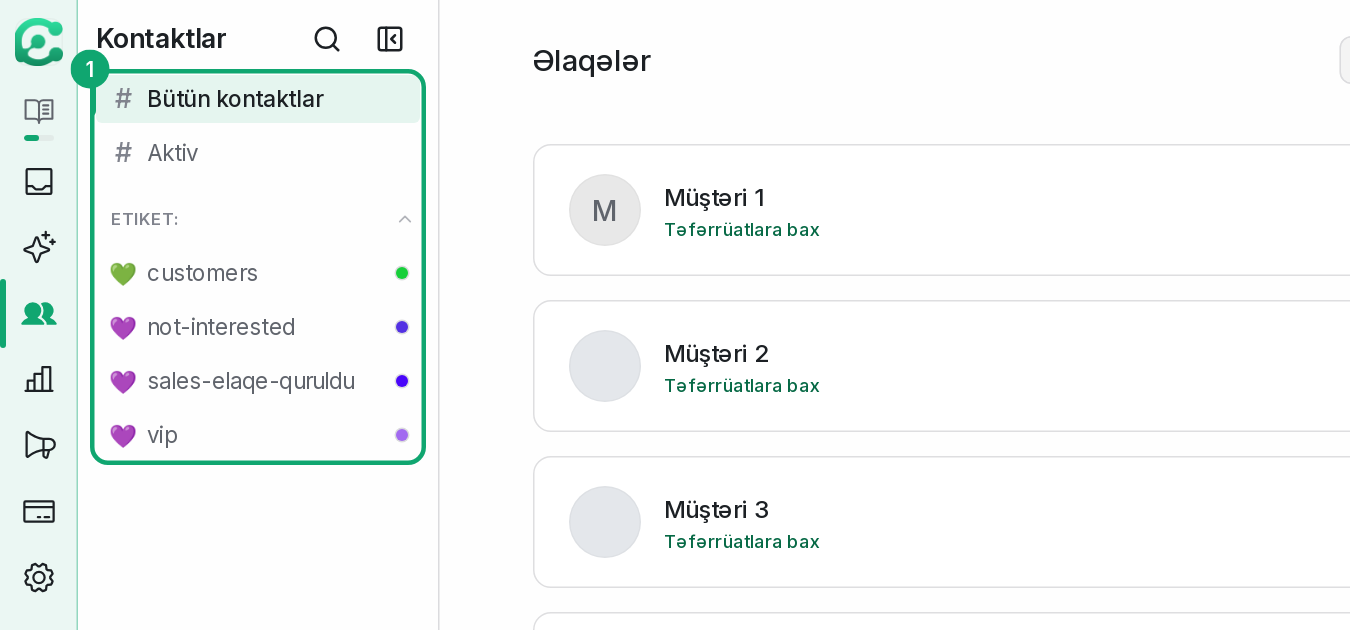
Open “Contacts” in the left menu. To export only part of the list, pick a segment, a filter or a label first: the export follows the list you have open.
-
2
Start the export
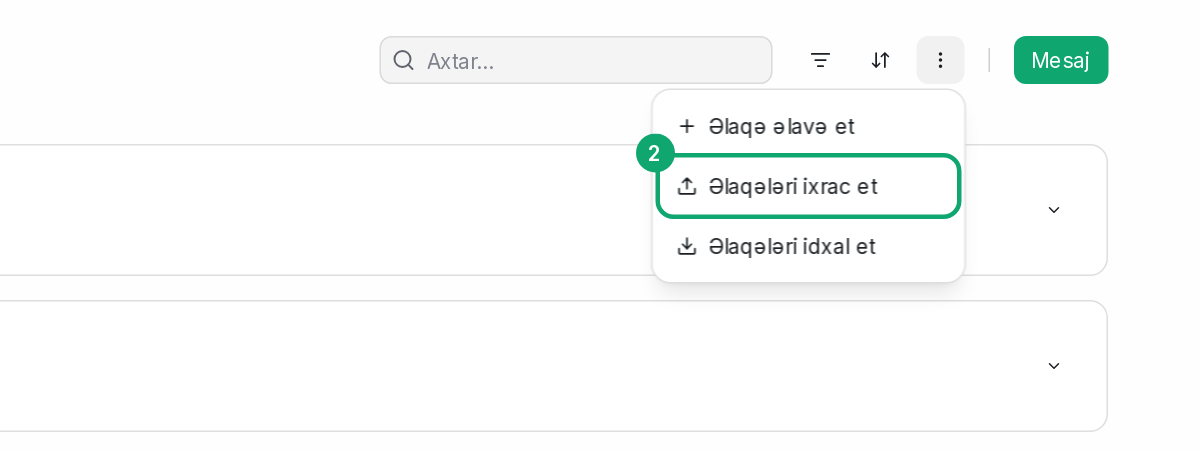
In the more actions menu at the top of the page, choose “Export contacts” and click “Export”.
-
3
Download the file from your email
When the file is ready, a link arrives in your email. Open the link, download the file and open it in Excel.
-
4
With Clomni AI
You can also ask Clomni AI in the Clomni Business Help Center to export your contacts to Excel. The file appears in the chat and can be downloaded for 24 hours.