Set up an email signature
Last updated: 27 September 2026 · 3 min read
The signature is set up in each agent's own profile, not in the channel. It's added to the end of the replies this agent sends. In email, live chat and API channels, the signature can also include an image.
Steps
-
1
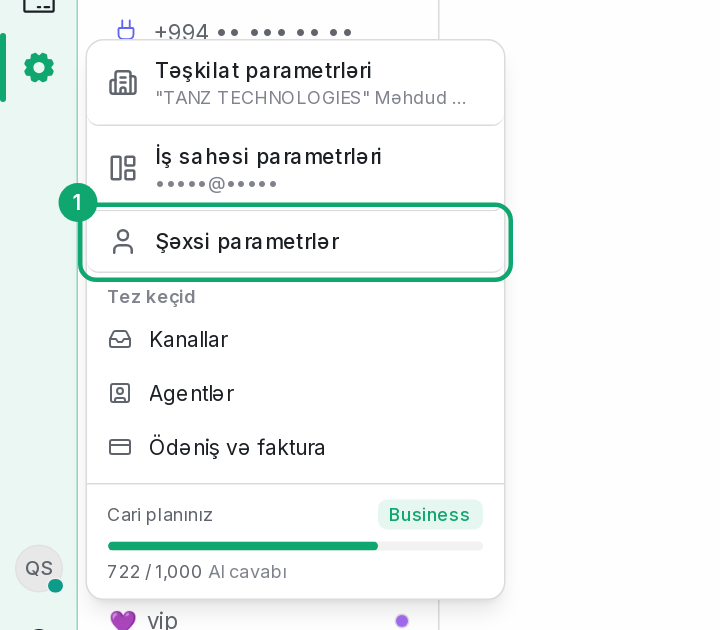
Open your profile settings
In the Settings menu in the sidebar, open the “Personal settings” section and go to the “Message signature” page.
-
2
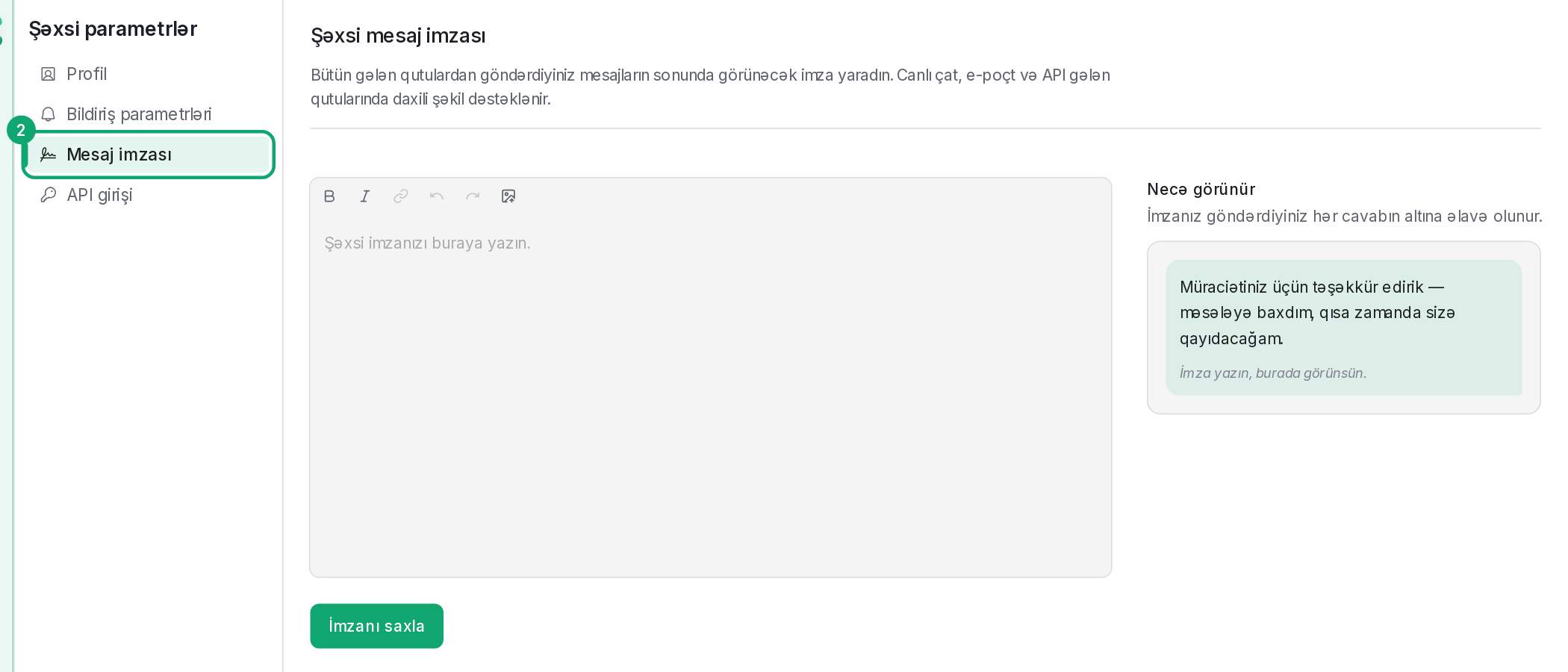
Write the signature
Write the signature in the “Personal message signature” field. For an image (for example, a logo), use the upload button: pasted images are removed. Check the result in the “How it looks” part and click “Save message signature”.
-
3
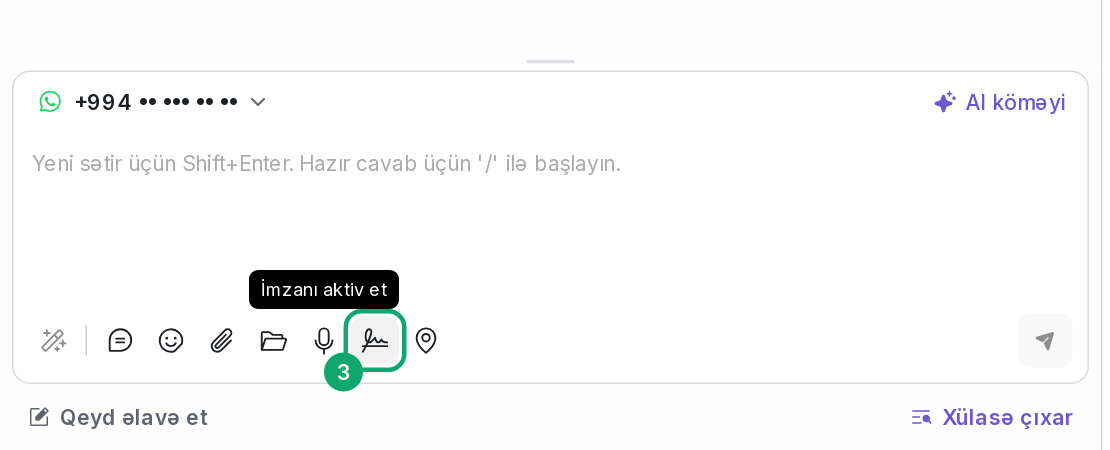
Turn the signature on in replies
In a conversation, the signature button under the reply box (“Enable signature”) turns the signature on, and the same button turns it off. If no signature is set up, the reply box reminds you.